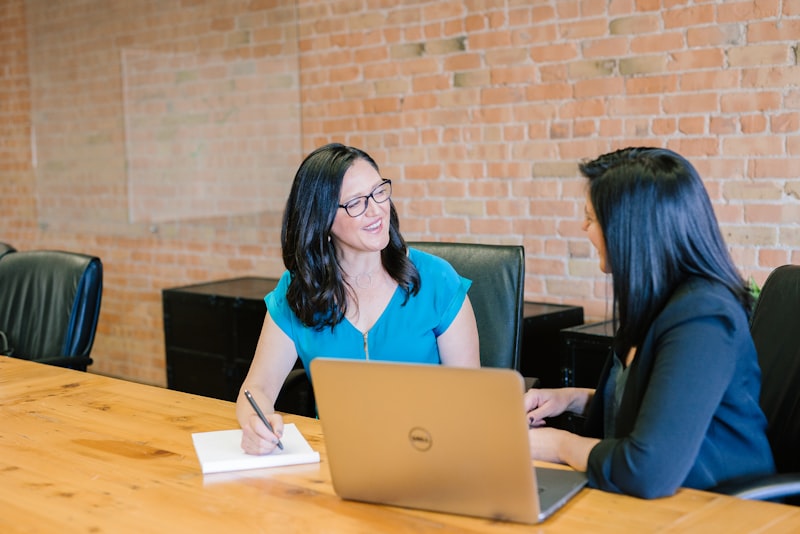
A virtual interview is still an interview, but the screen changes the rules in ways that catch people off guard. Bad lighting, a frozen connection, or eyes that never quite meet the camera can quietly undercut a strong candidate. The fixes are easy once you know what to look for.
Get your tech sorted before the day#
Nothing rattles you faster than a dead microphone two minutes before the call. Test everything in advance: camera, mic, speakers, and the specific app the interviewer is using. Don't assume the platform you used last time is the one they'll send.
Do a real test run, ideally with a friend, a day or two early. Check that your face is centered and well lit, that your voice comes through clearly, and that your internet holds steady on video. If your connection is shaky, sit close to the router or plug in with an ethernet cable. A wired connection is far more reliable than wifi for video.
Have a backup plan ready. Save the interviewer's phone number or email, and know in advance what you'll do if the video drops. A quick "My connection cut out, would you like to continue by phone or should I rejoin?" keeps things calm. How you handle a glitch can actually leave a good impression, because composure under a small crisis is exactly what employers want.
Close everything you don't need. Quit other apps, silence notifications, and put your phone face down on do-not-disturb. A pop-up chime or a buzzing desk is distracting for both of you, and it's entirely preventable.
Log in a few minutes early rather than at the exact start time. Joining a touch ahead lets you fix any last-second surprise, a muted mic, a camera that defaulted off, an update the app suddenly wants to install. Arriving early on video carries the same good signal it does in person, and it means you're settled and ready when the interviewer appears instead of fumbling with settings in front of them.
Make the camera work in your favor#
The single most common video mistake is looking at the other person's face on your screen instead of into the camera. From their side, that reads as you looking down or away. To make eye contact, look into the lens when you speak, especially during your key points.
It feels unnatural at first, so practice. One trick: move the video window up near your camera so the faces sit close to the lens, which narrows the gap between looking at them and looking at the camera. You don't need to stare into it the whole time; just return to it when you want to land something.
On video, presence is a skill you can practice. Eye contact, posture, and a steady voice carry more weight when a screen is doing half the talking.
Sit up, keep your shoulders open, and frame yourself from roughly mid-chest up with a little space above your head. Too close feels intense; too far feels distant. Lighting matters just as much: face a window or a lamp so the light falls on you, and avoid having a bright window behind you, which turns you into a silhouette. Soft, even, front-facing light makes a bigger difference than any camera upgrade.
Control your space and your background#
Pick the quietest room you can and tell anyone else at home that you'll be unavailable. Put a note on the door if you need to. A barking dog or a curious housemate wandering through is the kind of thing you can usually prevent with a little planning.
Your background should be tidy and neutral. You don't need a professional studio; a clean wall, a bookshelf, or a simple room works fine. The goal is for nothing behind you to pull attention away from your face. If your real space is cluttered, a subtle virtual background is acceptable, but test it first because some make your edges flicker.
A few quick checks before you log on:
- Background is tidy and free of anything you wouldn't want an employer to see.
- Lighting is on your face, not behind you.
- Phone, pets, and roommates are handled so you won't be interrupted.
Dress fully and professionally, not just from the waist up. It sounds like a small thing, but if you have to stand for any reason, you'll be glad. More to the point, dressing the part helps you feel the part, and that confidence carries through the screen.
Stay present and connected through the screen#
Video flattens energy, so what feels like normal enthusiasm to you can read as flat to them. Lean in a little, nod when they speak, and let your expressions be slightly more animated than you'd think necessary. You're compensating for everything the screen strips out.
Watch for the small delay that video introduces. Pause a beat after the interviewer finishes before you answer, so you don't talk over each other. Those clipped, overlapping exchanges are awkward and easy to avoid once you're aware of the lag. If you do talk over them, a quick "Sorry, go ahead" smooths it right over.
Keep brief notes nearby, but use them the way you'd use notes in person: as a glance, not a script. A short list of your key points and a few questions to ask is fine. Reading paragraphs off the screen is obvious because your eyes track back and forth, and it drains the warmth out of your voice.
There's one more advantage video gives you that in-person interviews don't: a little discreet help within reach. A sticky note on the edge of your monitor with the interviewer's name, the company's main goal, or a question you don't want to forget is perfectly fair game. Place it just beside your camera so a glance at it doesn't pull your eyes far off the lens. Use it as a safety net, not a crutch, and it can quietly steady your nerves.
When the call ends, finish as deliberately as you started. Thank them, confirm the next steps, and wait for them to leave or for the call to close before you relax. Slumping or sighing the moment you think it's over, while the connection is still live, is a small but real risk.
A virtual interview rewards the same things any interview does, preparation, clarity, and genuine interest, plus a layer of technical care that in-person interviews don't demand. Handle the tech, fix the lighting, look into the lens, and protect your space, and the medium stops working against you. Then you can do what you came to do: have a real conversation and show them why you're the right person for the job.